

Docs / The workshop
Contributors
See everyone whose fonts, styles and hilts you use, and how to credit a maker with a name, a logo and a link.
Sound fonts, styles and hilt models are other people's work. The Contributors page gathers everyone you use in one list, with what of theirs is in your library. It is how Hiltwright keeps credit attached to the work.
#Who is listed
You are listed when your library holds something credited to you. The page counts three kinds of work:
- Fonts, from the Maker on each font in the Font library.
- Styles, from the author on each style on the Styles page. This includes Hiltwright's own built-in styles, credited to Hiltwright.
- Hilts, from the maker of each hilt model in the Demo room. Hilts in a pack are credited by the pack. Hilts you loaded yourself are listed when you gave them a maker.
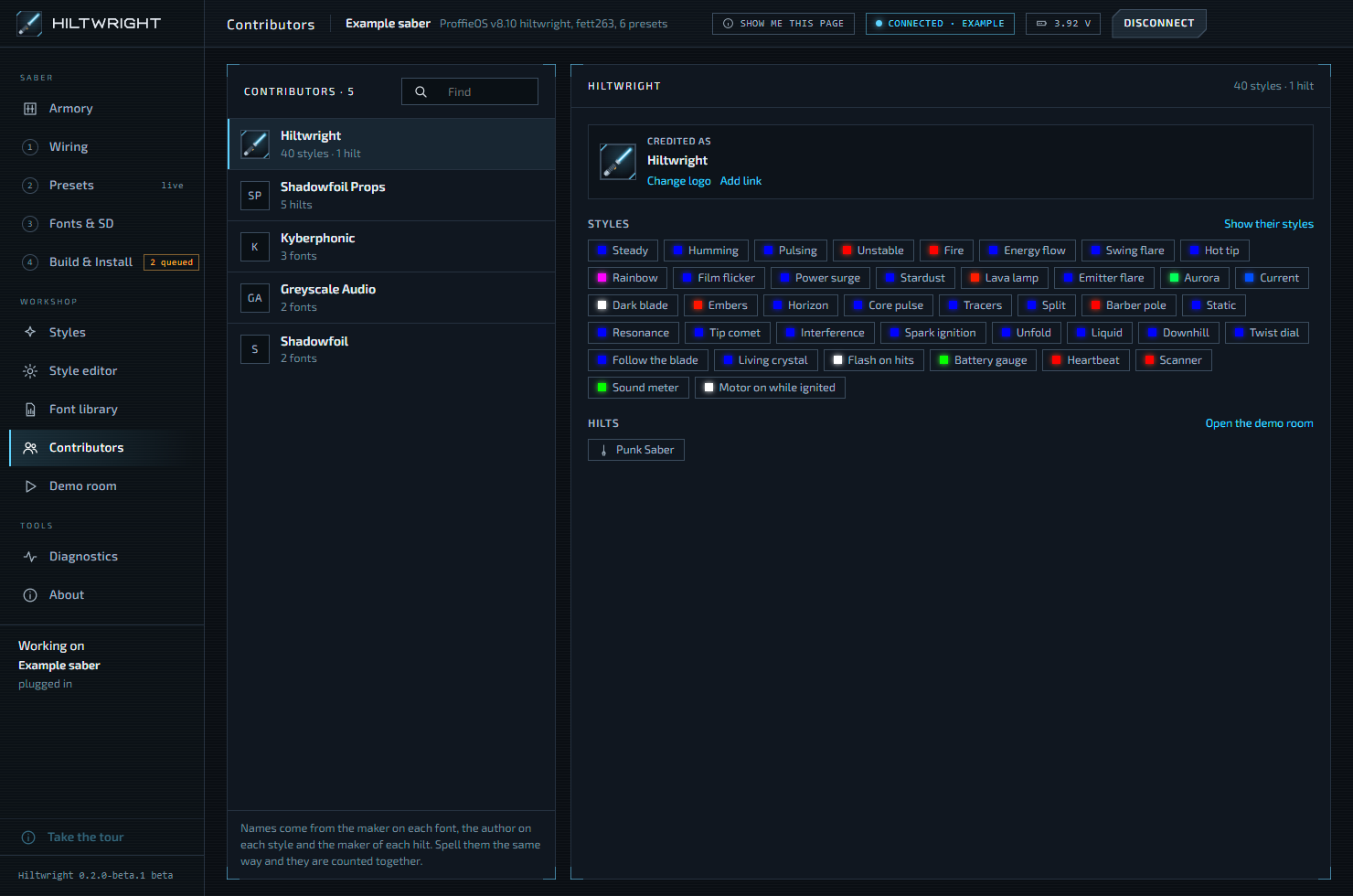
The list is sorted by how much of someone's work you have. Each row shows a logo (or their initials), their name, a count such as "3 fonts · 2 styles", and a link icon if they have a link. Find narrows the list by name. The heading shows how many contributors there are.
Names that credit nobody in particular are not listed: your own styles, marked as yours, and styles with an unknown author.
If you have nothing yet, the list says: "Nobody yet. Give a font a maker in the Font library, paste a style with its author, or credit a hilt in the demo room, and they appear here."
#Where the names come from
Names come from the maker on each font, the author on each style and the maker of each hilt. Hiltwright does not look anything up. Spell a name the same way everywhere and the work is counted together. Capital letters do not matter, so "Fett263" and "fett263" are one person. The spelling on the first font or style Hiltwright sees is the one shown.
#One contributor
Pick a name to see their page. The top shows a credit card: their logo, name and link. Under it are their fonts (grouped by bundle), their styles, and their hilts.
- Open the Font library goes to the fonts.
- Show their styles opens the Styles page filtered to that maker.
- Open the demo room goes to the hilts.
If someone is kept for their logo and link but none of their work is in the library at the moment, the page says "Nothing of theirs is in the library at the moment; their logo and link are kept for when something is."
#Crediting a maker
On a contributor's credit card:
- Add logo (or Change logo) lets you choose an image. Remove logo takes your logo away again. For Hiltwright itself, the button reads Use the built-in logo.
- Add link (or Edit link) takes the maker's web address, for example
fett263.com. The link then opens in your browser from any page that shows that maker.
The logo and link belong to the name, so they show up on every font, style and hilt credited to it.
To fix or set who made a style, open it on the Styles page and press Edit beside the credit. You can do this on styles you pasted or built. Hiltwright's own styles are always credited to Hiltwright. If you rename an author and the old name had a logo and link, Hiltwright asks "Give ... the logo and link of ...?" The old name keeps its own, in case other fonts or styles still credit it. For a font, change the Maker field in the Font library. The Font library also has a Set maker for all button for a whole bundle.
Tip When you paste a style, always fill in By, or tick Author unknown. Hiltwright will not save a pasted style without one of them, so every style carries credit from the start.
Written for Hiltwright 0.2.0-beta.3. Something wrong or missing? Tell us.