

Features
Everything between a bare board and a finished saber.
Hiltwright has two halves. The saber path takes one saber from a plan to installed firmware. The workshop is where you browse, build and try styles and fonts for any saber.
The saber path
One saber, four numbered steps.
Armory
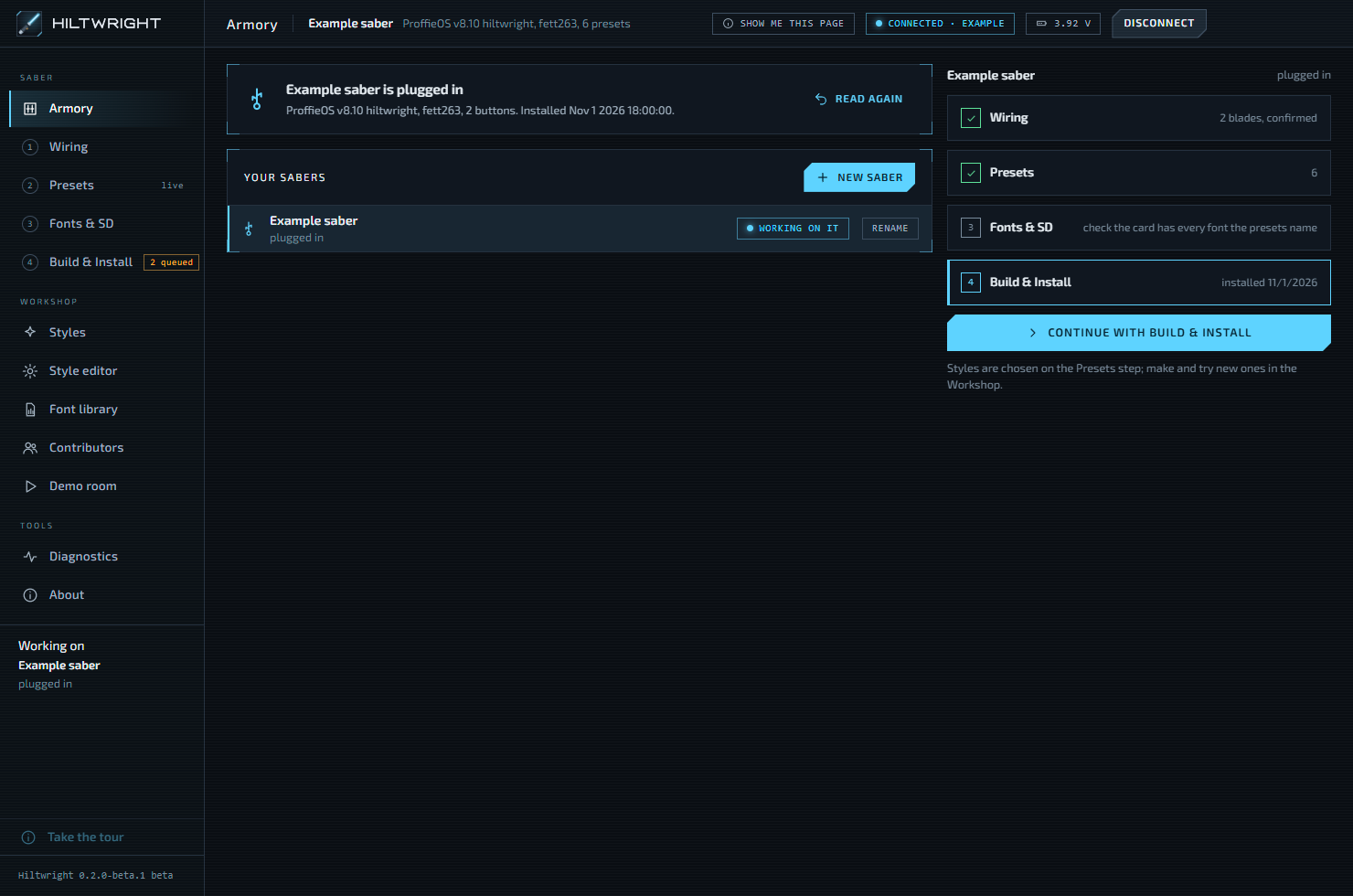
Every saber Hiltwright has seen is remembered, plugged in or not. Choose the one you are working on and see how far it has got.
- Plug a saber in with a USB data cable and it connects by itself.
- "New saber" plans one ahead: wiring, presets and styles, ready to install.
- When the real saber is plugged in, Hiltwright asks whether it is the one you planned.
1 Wiring
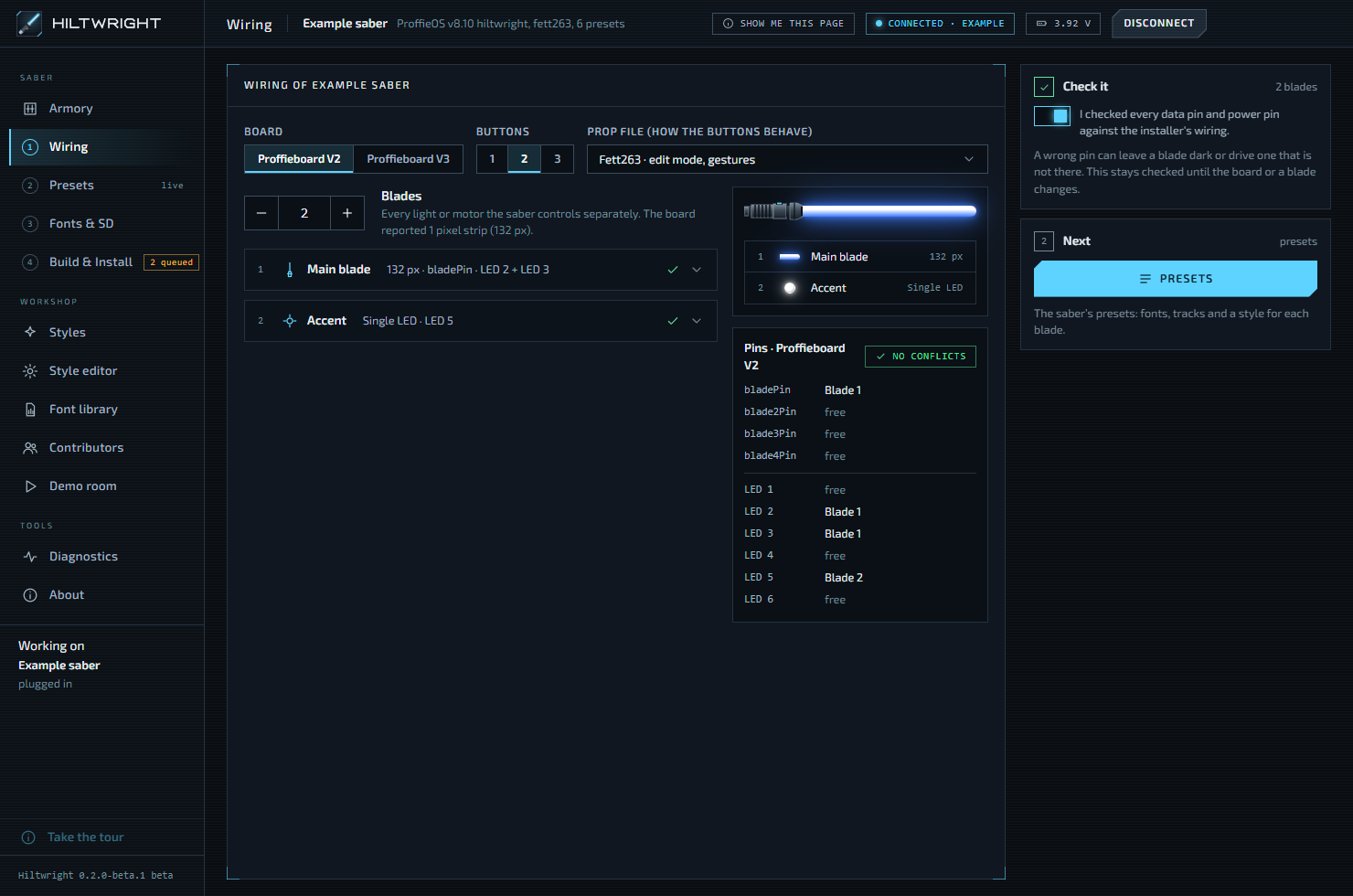
Tell Hiltwright what is in the hilt: which Proffieboard, how many buttons, which prop file, and what each blade is wired to.
- A blade is anything the saber lights or runs: main blade, crystal chamber, accent LED, motor.
- The pin table shows which pins each blade uses, and any clash between them.
- Nothing is installed until you confirm the wiring. A wrong power pin can damage hardware.
2 Presets
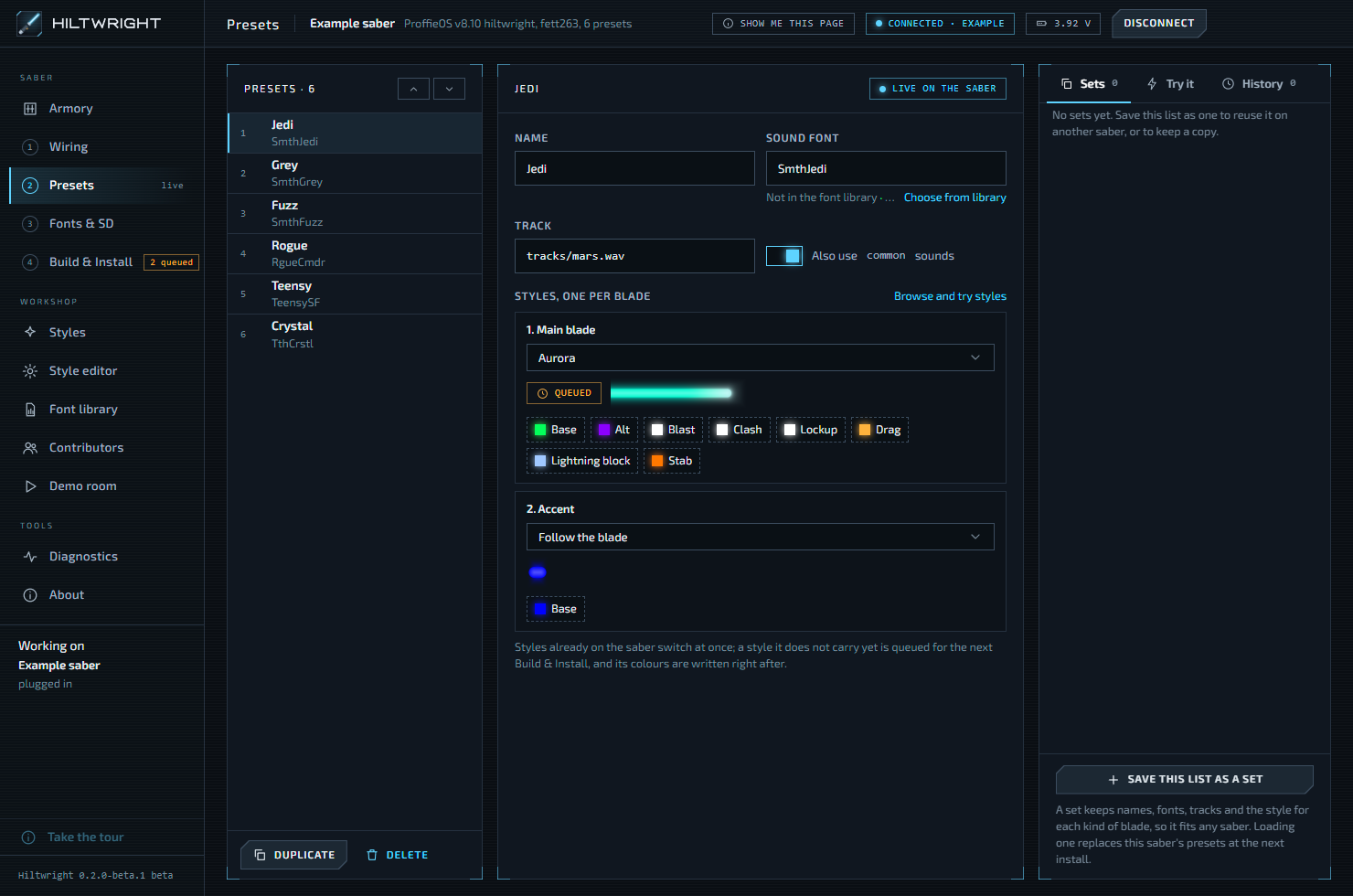
A preset is one setup you switch to with the buttons: a sound font, a music track and a style for each blade.
- With the saber plugged in, a change is written at once and shows as saved when the saber reads it back.
- With no saber plugged in, changes are staged and go on at the next install.
- Save a whole preset list as a set, and load it on another saber.
- History lists what changed. Undo the newest change, or restore an older one.
3 Fonts & SD
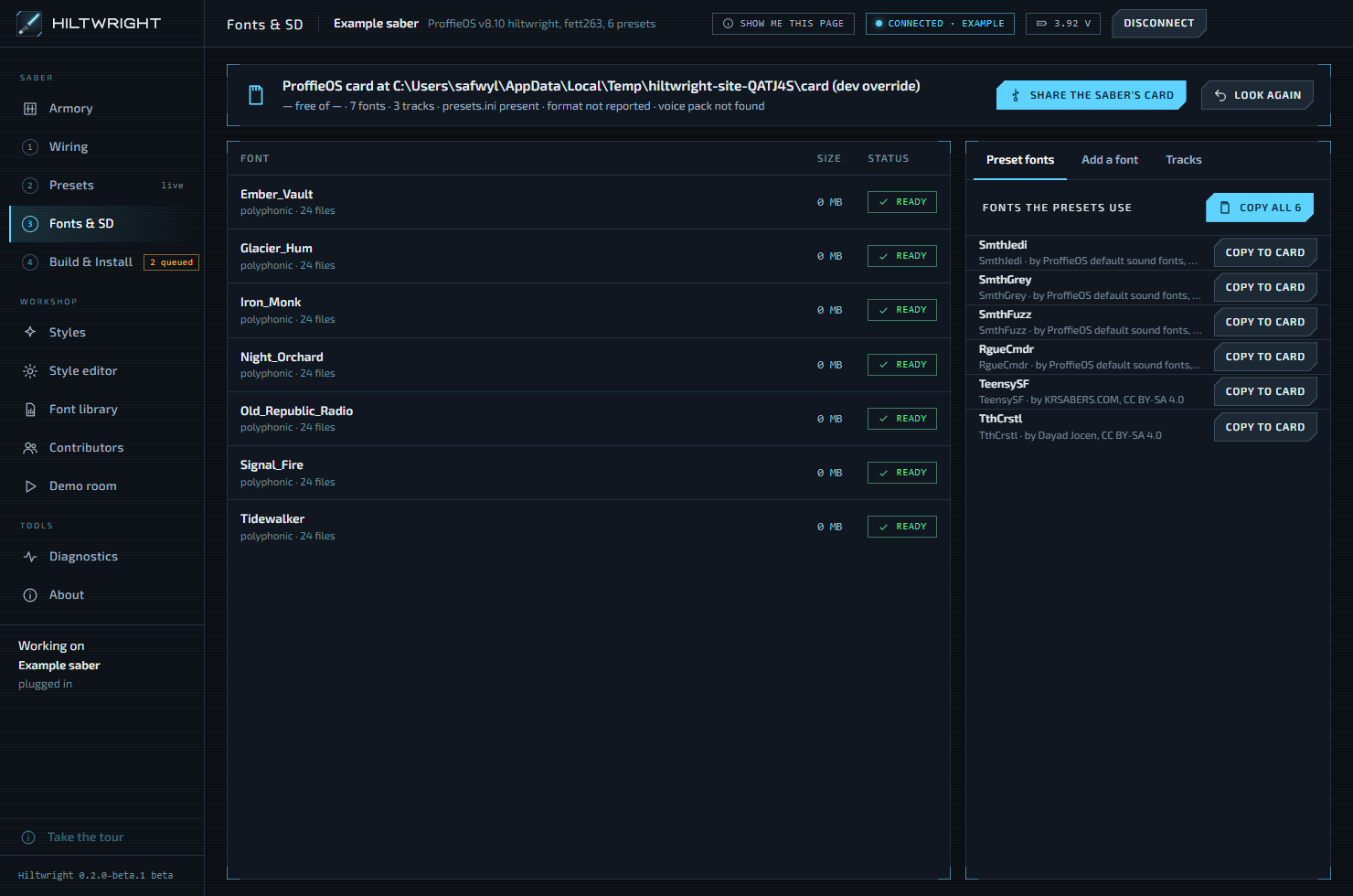
Sound fonts live on the saber's SD card. Hiltwright copies them there and checks them.
- Use a card reader, or press "Share the saber's card" and the saber lends its card over USB.
- Every font on the card is checked for the usual faults, such as a missing hum.
- A font a preset names but the card lacks can be copied from your library in one click.
- Six free ProffieOS fonts come with Hiltwright, ready to copy.
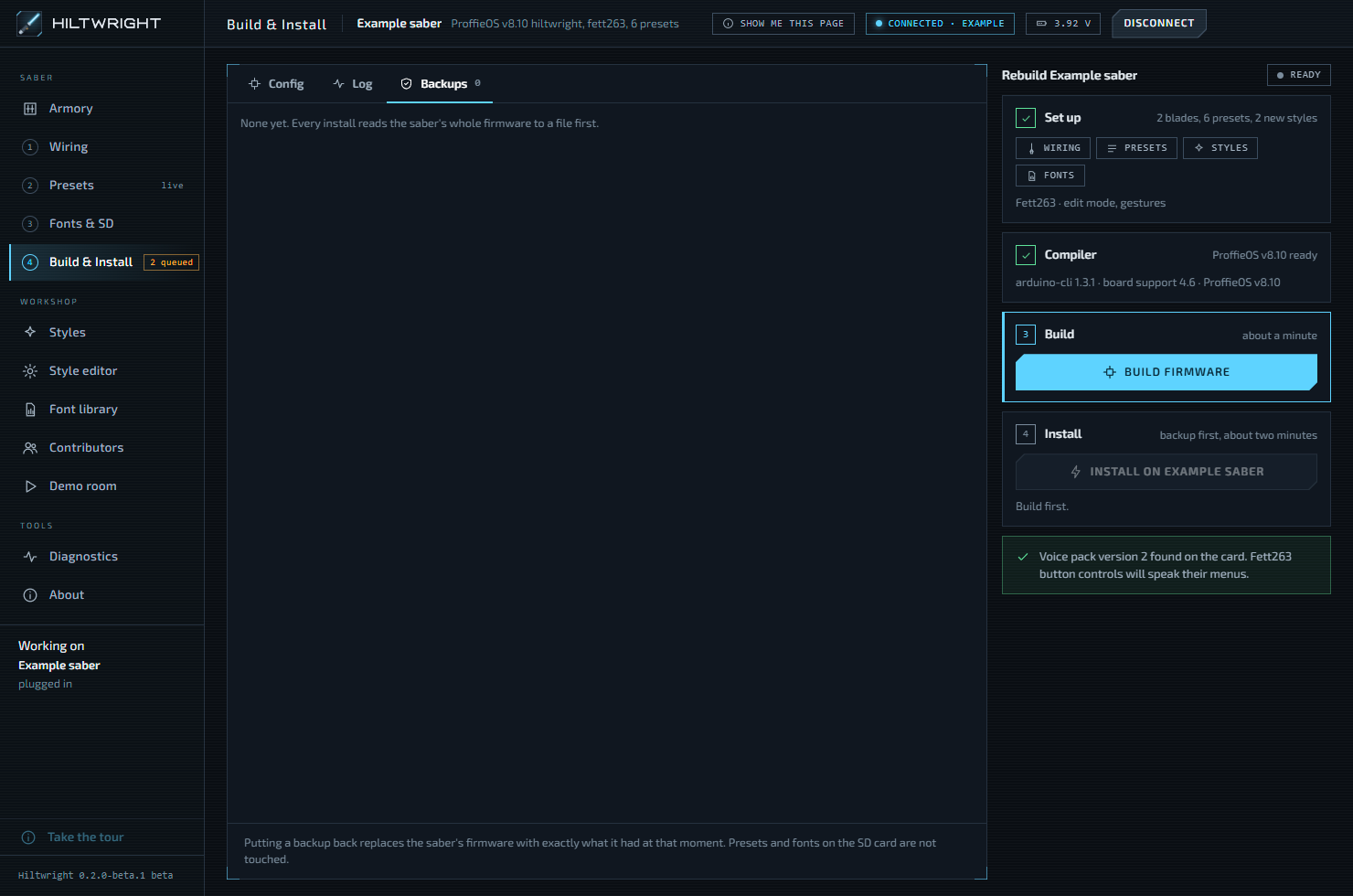
4 Build & Install
This turns the wiring, presets and styles into firmware, and installs it over USB.
- The compiler is a one-time download of about 360 MB. After that a build takes about a minute.
- Install reads the saber's whole firmware into a backup file first.
- Every backup is kept. "Put back" writes one onto the saber exactly as it was.
- If a step fails, "Save diagnostics" writes one file to attach to a report.
The workshop
Styles and fonts, for any saber.
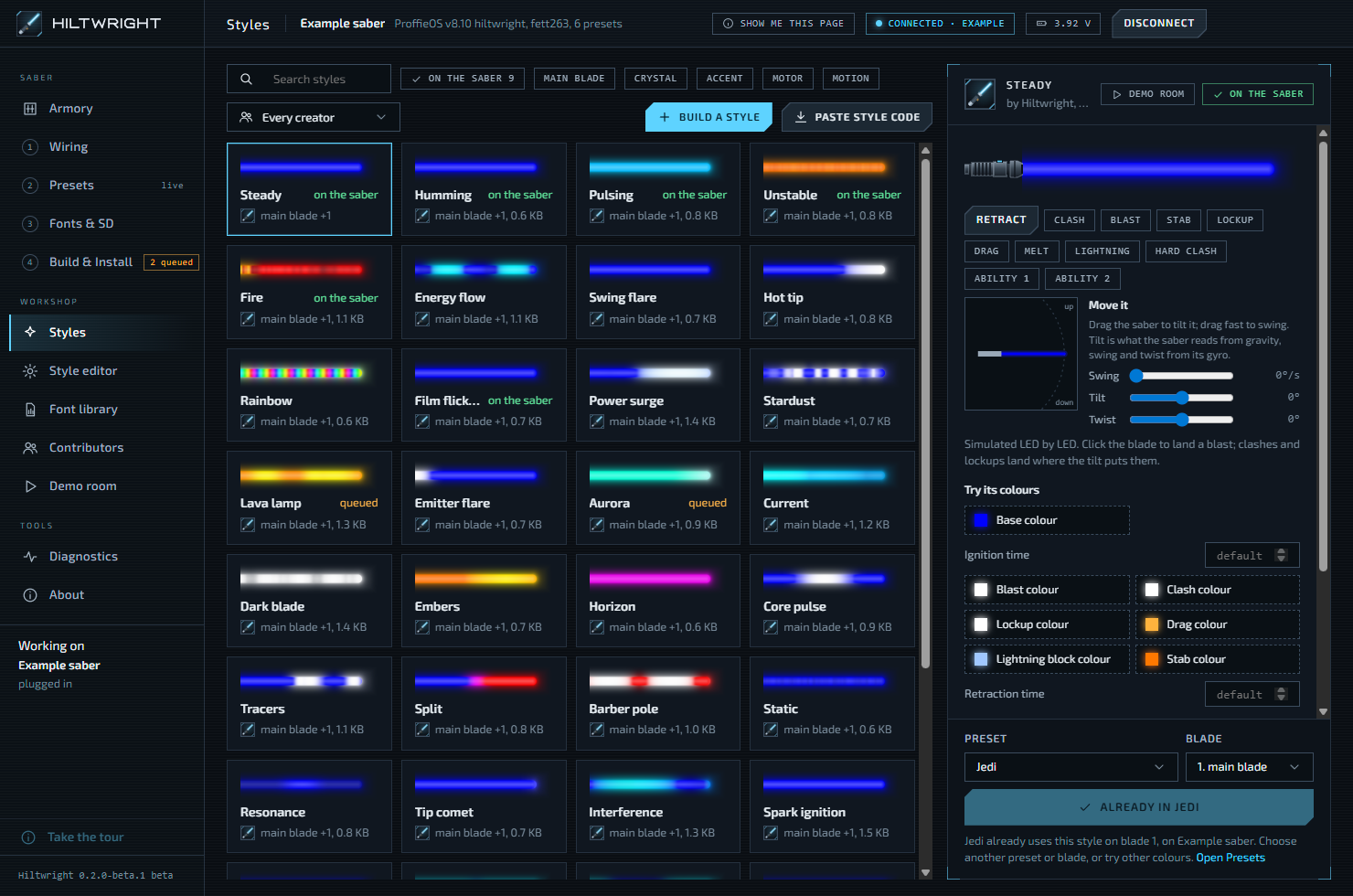
Styles
A style is what a blade does: its colour, flicker, ignition, and how it reacts to clashes and swings.
- Dozens of Hiltwright's own styles, for main blades, crystals, accents and motors.
- The preview simulates the style LED by LED. Where it can only be approximate, a note says so.
- Each style says whether it is on the saber, queued, or needs a build.
- "Paste style code" takes a style from the Fett263 style library or anywhere else, with its credit.
Style editor
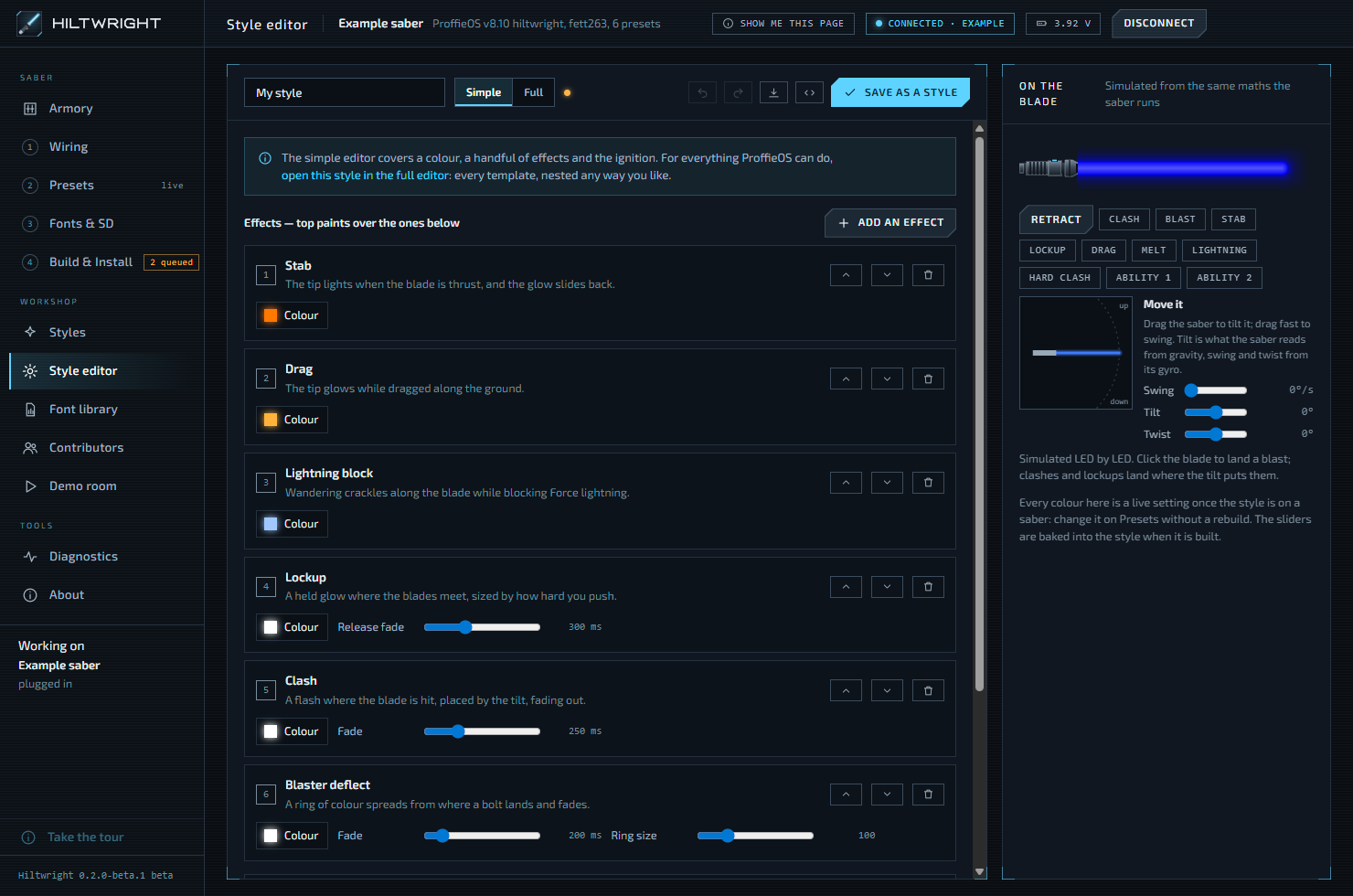
Build a style without writing ProffieOS style code.
- Simple: a blade underneath, effects stacked on top, then the ignition and retraction.
- Full: every ProffieOS layer. Pick a layer, then say what it shows, where on the blade, and when.
- Open a Simple style in Full at any time.
- "Save as a style" adds it to your Styles, ready for any preset.
Demo room
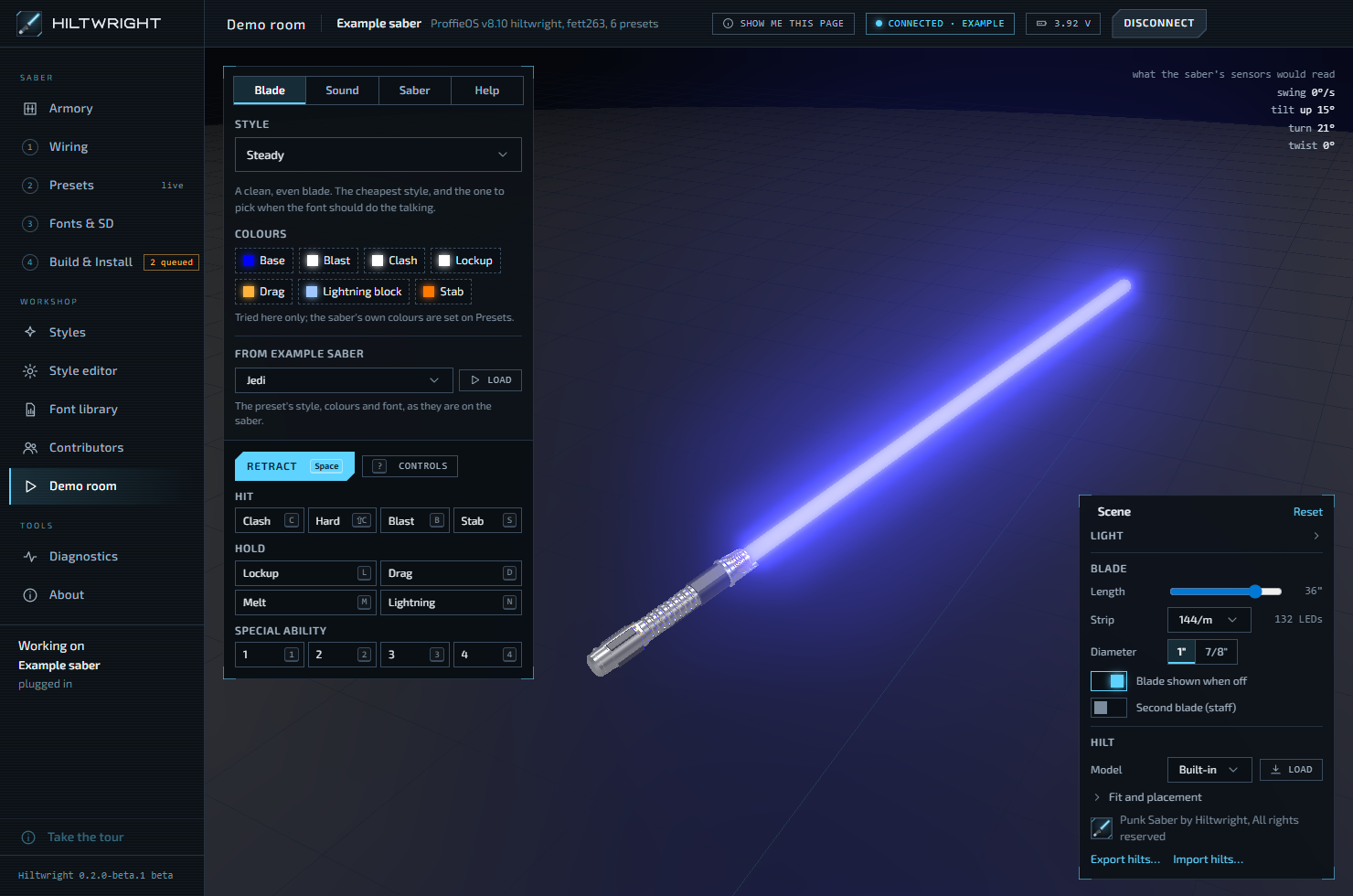
Try any style with any font on a saber in a dark room, before it goes near a real one.
- Ignite with Space. Drag to swing, and scroll to twist the hilt.
- Clash, blast, lockup, drag, melt, lightning block and special abilities, each with its key.
- The sound follows ProffieOS: SmoothSwing, pre-on and post-off, begin and end sounds.
- Load a preset from your saber: its style, colours and font, as they are on the saber.
Font library and Contributors
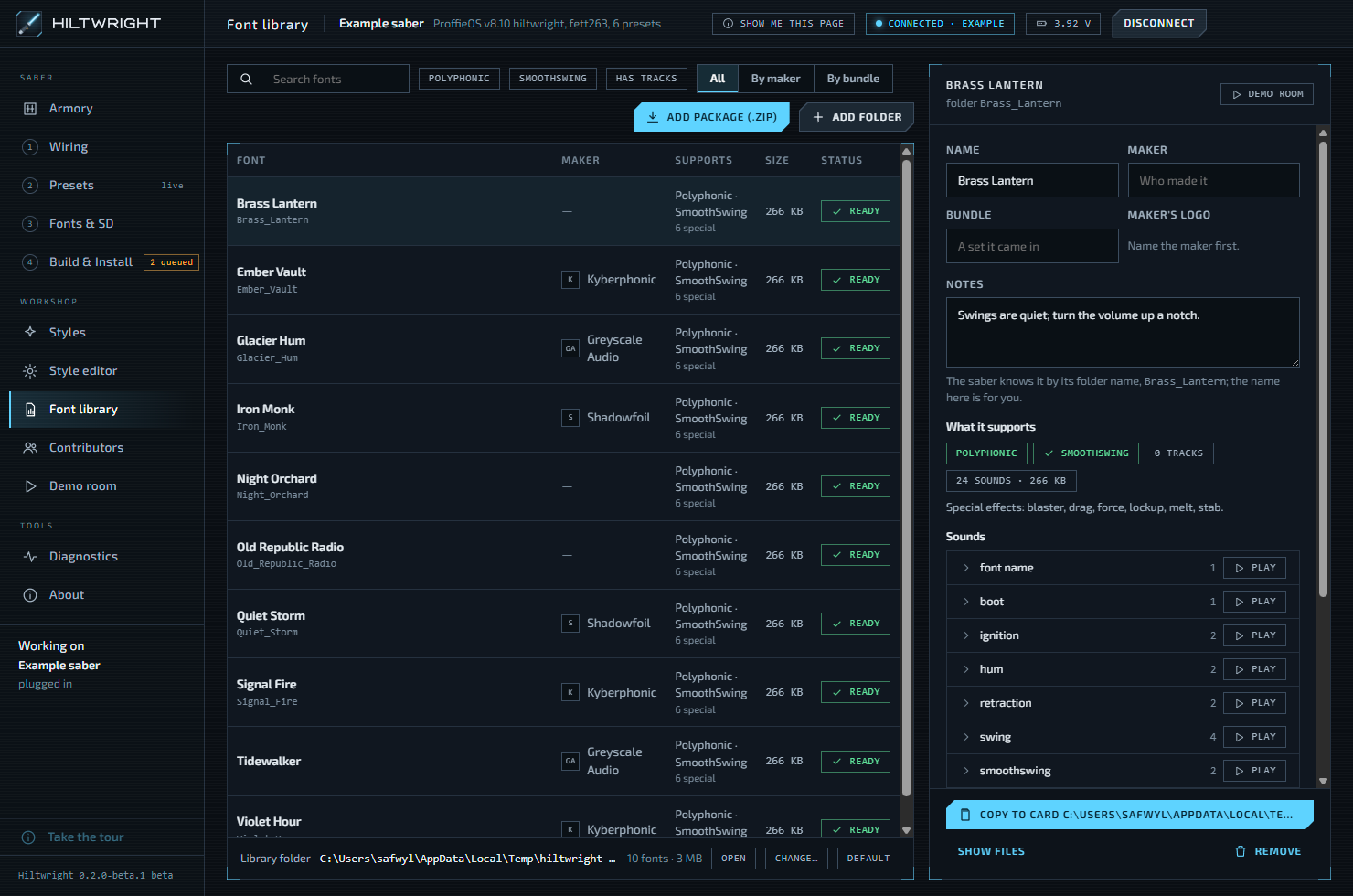
Keep your sound fonts in one place on this computer, and see whose work you are using.
- Add a font as you downloaded it (.zip), or as a folder. Your originals are left alone.
- Play a font's sounds, note who made it, and copy it to a card.
- Contributors lists font makers, style authors and hilt makers, each with a link.
Safety
Built so a mistake can be undone.
Backup before install
The saber's whole firmware is read into a file before anything is written. Putting it back is one button.
Wiring is confirmed
Nothing is installed until you have checked the pins and turned the confirm switch on. Any wiring change turns it off again.
Presets have a history
A copy of the saber's own presets is kept before staged ones replace them. Each restore lists what it will change first.
Fonts are checked
Before a build, Hiltwright warns if a preset names a font that is not on the card. Your original font files are never changed.
Risky commands ask first
In Diagnostics, a command that restarts the saber or changes its files asks before it is sent.
Diagnostics stay with you
"Save diagnostics" writes one file on your computer and sends nothing. You choose whether to attach it to a report.
Honest limits
Not in this beta.
- macOS and Linux. Beta 1 is Windows only.
- Code signing. Windows warns about the installer, and Smart App Control must be off.
- Card formatting. Hiltwright warns about a card in the wrong format, but does not format it.
- Building fonts from sounds.
- Blade ID and the Xenopixel import are hidden for now.
The full list is in the release notes.