
Closed beta · Windows · Proffieboard V2.2 and V3
ProffieOS without the compiler.
Hiltwright sets up a Proffieboard saber from wiring to installed firmware. Choose presets, styles and sound fonts, then build and install over USB. No Arduino, no C++, no style code.
Free and open source (GPL-3.0-or-later). Version 0.2.0-beta.3.
Live demo
Try a blade, right here.
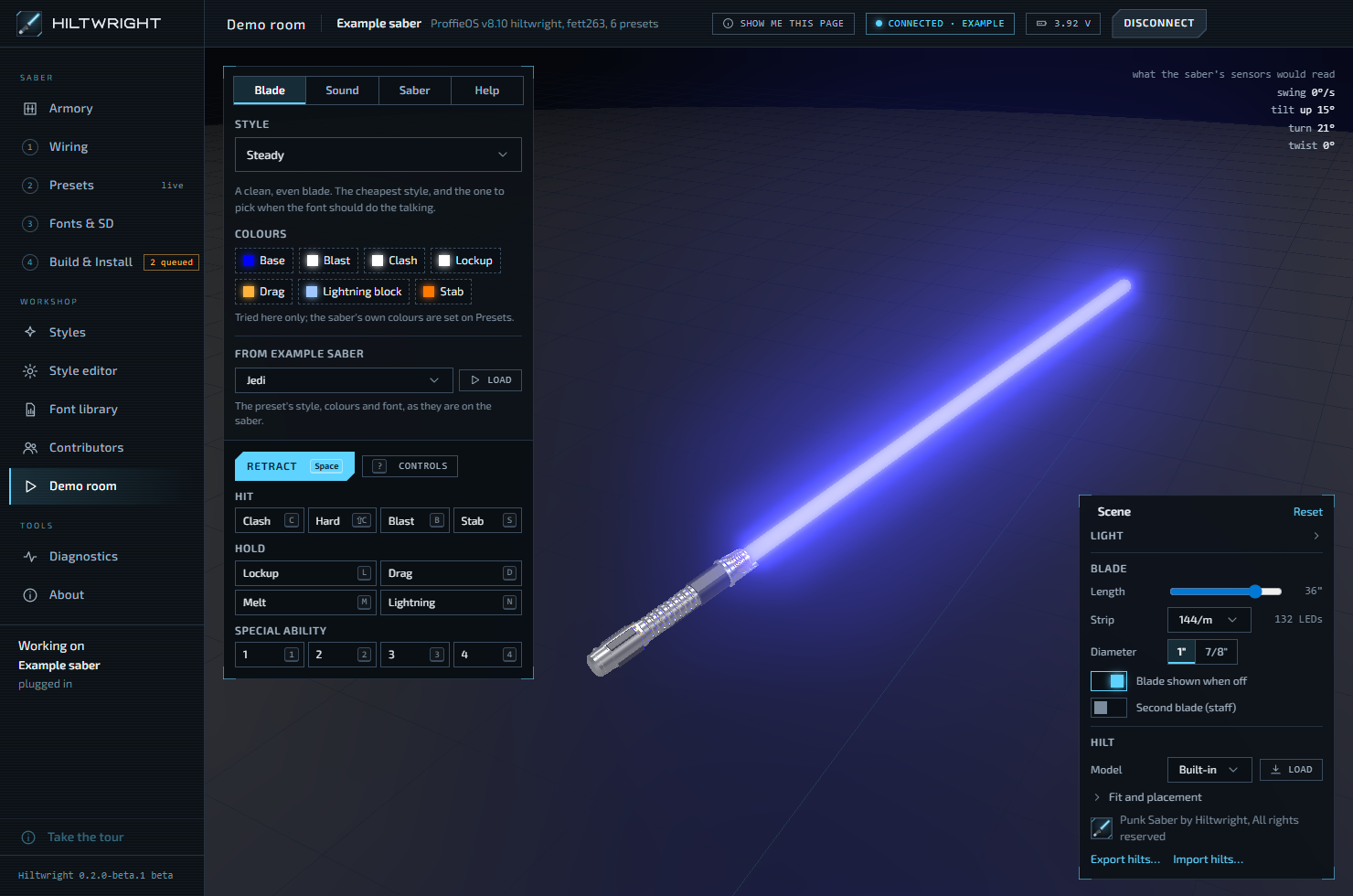
This is the simulator from the app, running in your browser. It works out what ProffieOS would put on each of 132 LEDs, so you see a style before it goes near a saber.

Hold Lockup, Drag or Lightning. Click the blade to land a blast. In the app the same blade sits on a 3D hilt you can swing, with your sound font playing. See the demo room.
How it works
Four steps from a plan to an installed saber.
- 1
Wiring
Choose the board, the buttons and the prop. Say which pins each blade uses. Hiltwright checks for clashes and writes the settings.
Wiring - 2
Presets
A sound font, a track and a style for each blade. Change them live while the saber is plugged in.
Presets - 3
Fonts & SD
Copy fonts to the card through a reader, or let the saber lend its card over USB. Every font is checked.
Fonts & SD - 4
Build & Install
One button builds the firmware in about a minute. Install backs up the saber first, then writes the new firmware.
Build & Install
Styles
Pick a style. Recolour it live.
Hiltwright comes with dozens of blade styles of its own, each with a live preview. Every colour is editable from the Presets page with no rebuild.
Already have a style you like? Paste its code, from the Fett263 style library or anywhere else, and it keeps its credit.
More about styles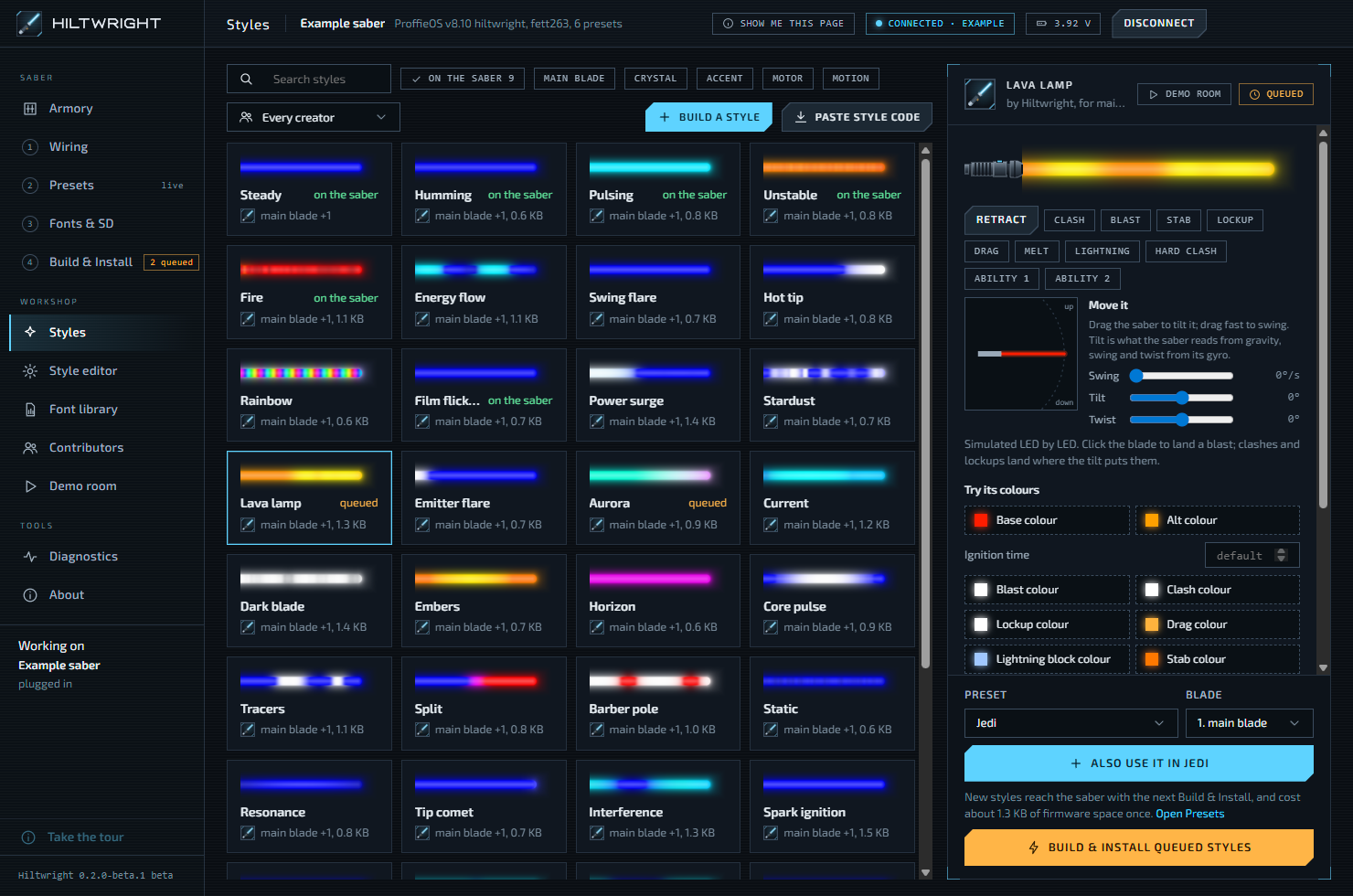
Style editor
Build your own, in blocks or in full.
Simple builds a style from a few plain blocks: a blade, effects on top, an ignition and a retraction. Full shows every ProffieOS layer, and you say what it shows, where on the blade, and when.
The blade beside the editor shows the style as you change it.
More about the editor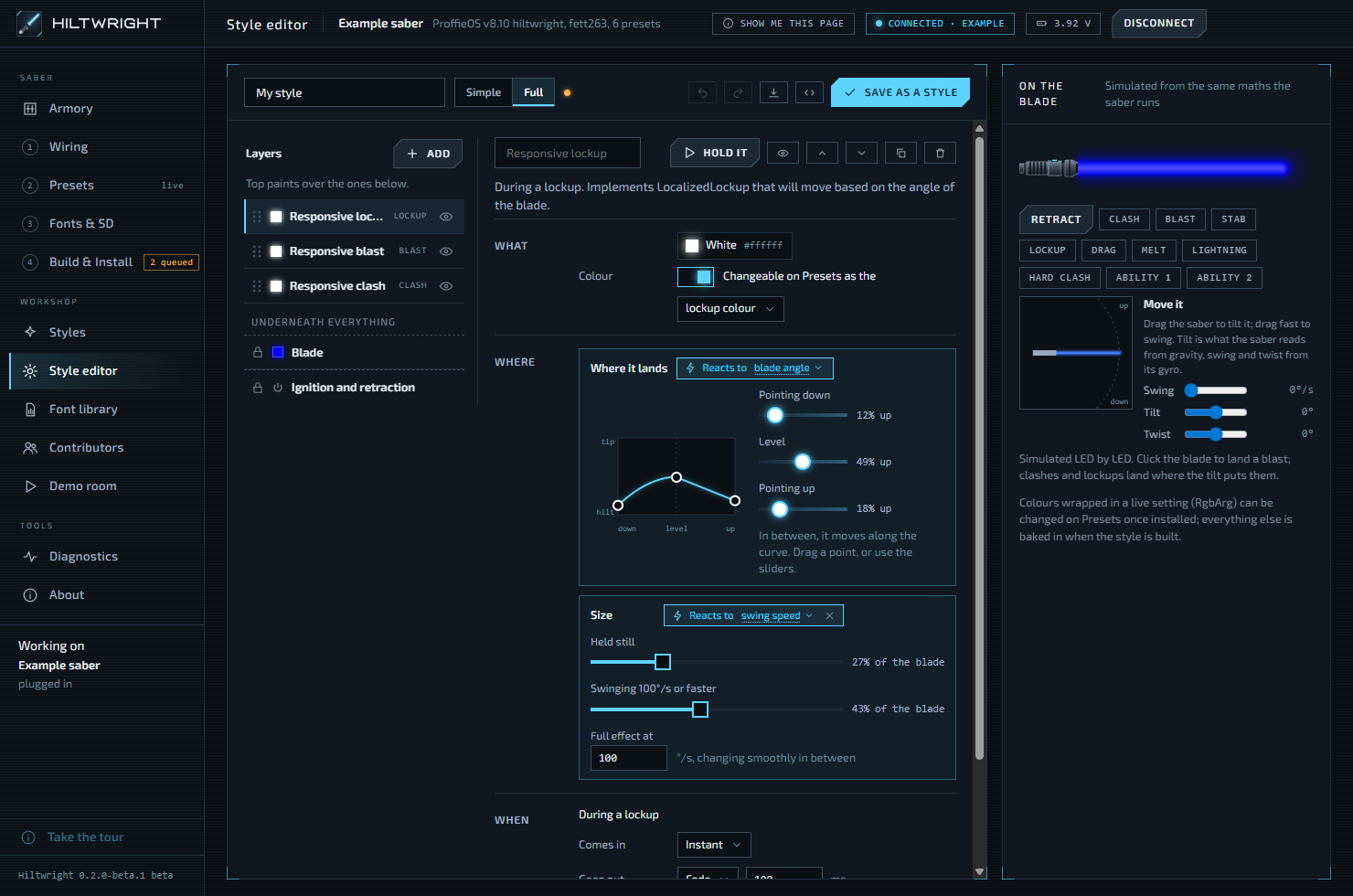
Build & Install
A backup before every install.
Install reads the saber's whole firmware into a backup file before it writes anything. "Put back" restores a backup exactly as it was.
The compiler is a one-time download into Hiltwright's own folder. You never open Arduino and never read a config file, unless you are curious.
More about installing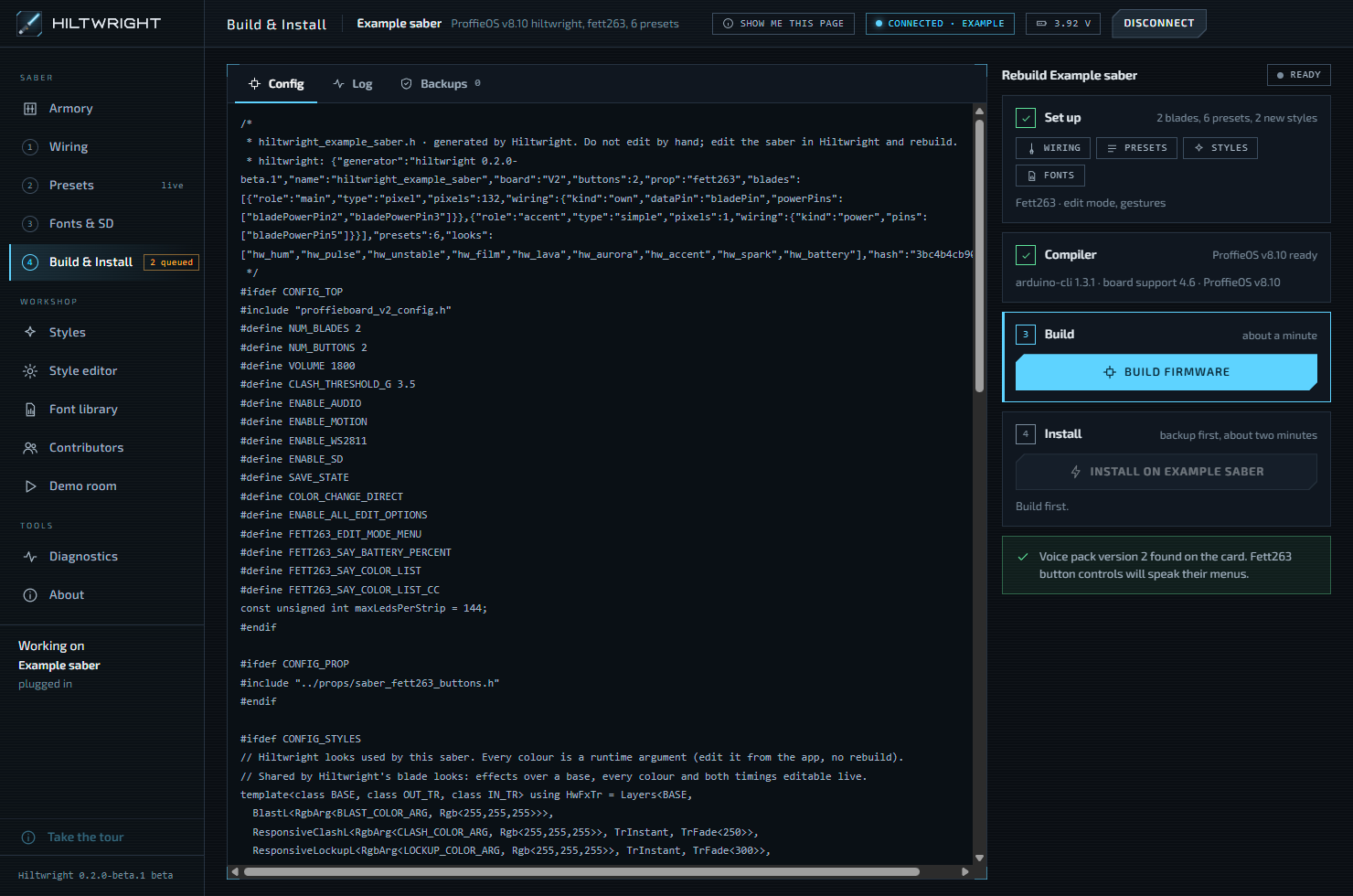
Who it is for
Coming from Crystal Focus X, Xenopixel or LGT?
No toolchain to set up
ProffieOS normally means Arduino, board packages, drivers and a config file in C++. Hiltwright does those parts for you.
Words you already know
Presets, fonts, colours, effects. Each ProffieOS term is explained in a few words where you meet it, and in the glossary.
Hard to get wrong
Wiring must be confirmed before anything is installed. Fonts are checked before they are copied. Every preset change can be undone from History.
Where it stands
Beta 1 is a closed beta for experts.
It is for installers and style builders who own a Proffieboard V2.2 or V3 and run Windows. The installer is not signed, so Windows warns you, and Smart App Control must be off. The install guide covers every step.
- Plan a saber, with or without it in your hands
- Choose styles and fonts, and build custom styles
- Try any style and font in the demo room
- Build and install, with a backup first
- Edit presets live on the saber
- Not yet: macOS and Linux, code signing, card formatting, building fonts from sounds